

When it comes to building the perfect gaming setup, most people zero in on the graphics card, monitor, or mouse — but often overlook one of the most crucial parts of the experience: the keyboard. Your keyboard isn’t just a bunch of keys slapped onto a plastic board. It’s the bridge between you and the game — every movement, every combo, every clutch moment starts there.
Sure, RGB lights and flashy designs grab attention, but a good gaming keyboard goes far beyond just looking cool. It’s about performance, precision, and comfort — especially when you’re grinding ranked matches or pulling all-nighters in your favorite RPG.
In this post, I’ll break down the 10 key features that actually matter when choosing a gaming keyboard — whether you’re a casual gamer or someone chasing esports dreams.
1. Mechanical Switches
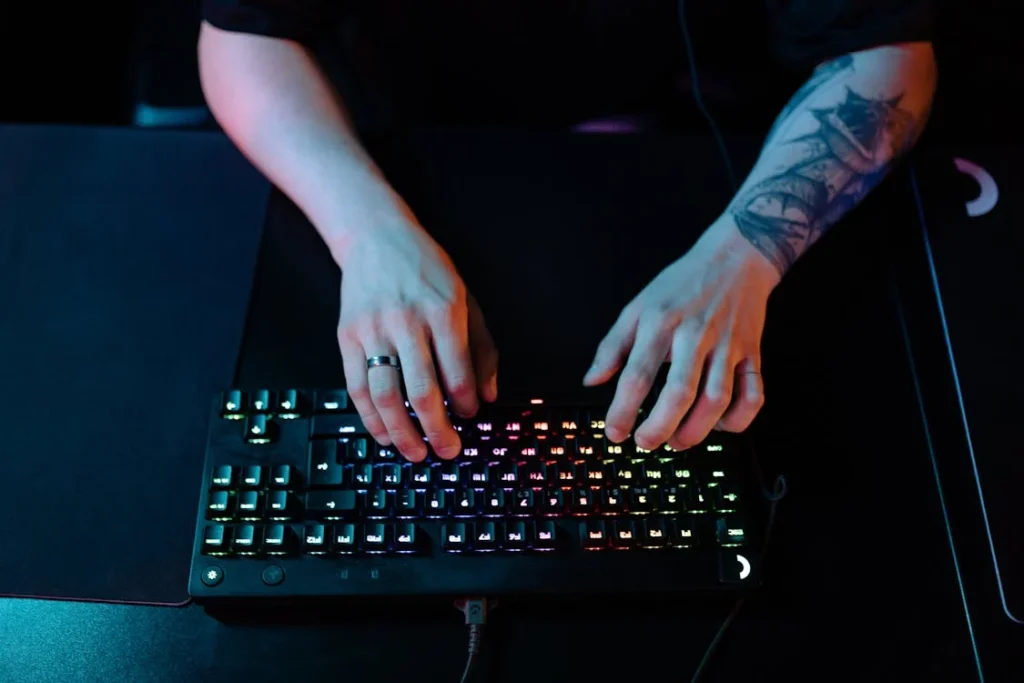
The first thing you’ll want to look for in a gaming keyboard is whether it uses mechanical switches — and yes, it makes a huge difference. Most regular keyboards use membrane technology, where a rubber dome registers each key press. While they’re quiet and cheap, they tend to feel mushy and wear out quickly.
Mechanical switches, on the other hand, are built for performance. Each key has its own individual switch, giving you faster response times, better tactile feedback, and a much longer lifespan. This is why serious gamers swear by them.
You’ll come across different switch types — Red (linear and fast), Blue (clicky and tactile), and Brown (a balanced middle ground). Your choice will depend on your playstyle, but one thing’s for sure: once you try mechanical, there’s no going back.
2. Key Switch Type
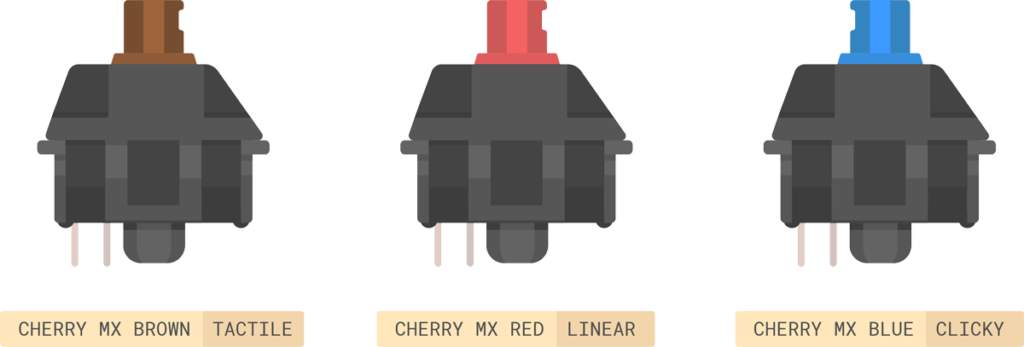
Not all mechanical switches are created equal — and the type you choose can seriously impact your gaming experience. Switches come in different styles, each with its own feel, sound, and actuation behavior.
Red switches are linear and smooth, with no tactile bump. They’re super responsive and great for fast-paced games like FPS titles where every millisecond counts.
Blue switches are the loud, clicky ones — you’ll feel and hear a distinct bump with each press. They’re satisfying for typing but can get noisy, especially in shared spaces.
Brown switches strike a nice balance — they have a gentle bump without the loud click, making them ideal for both gaming and everyday use.
Your choice comes down to personal preference, but understanding how each switch behaves will help you pick the right keyboard for your style of play.
3. Build Quality
If you’re investing in a gaming keyboard, you want it to last — and that’s where build quality comes in. A well-built keyboard doesn’t just feel better; it also stands up to heavy use, accidental drops, and the occasional desk slam after a tough loss (hey, we’ve all been there).
Look for keyboards with an aluminum or metal top plate instead of cheap plastic. These offer better durability and a premium feel. The weight of the keyboard can also be a subtle indicator of quality — heavier keyboards tend to stay put during intense gaming sessions, while flimsy ones slide around and feel hollow.
Check for details like key wobble, flex when pressing down hard, and overall sturdiness. A solid keyboard is a long-term investment — not just for gaming, but for every time you sit down at your setup.
4. Anti-Ghosting & N-Key Rollover
Ever pressed multiple keys at once in a game and noticed some just… didn’t register? That’s ghosting — and it can ruin your gameplay. Whether you’re pulling off a combo in a fighting game or rapidly switching weapons in an FPS, every key press needs to be recognized.
That’s where anti-ghosting and N-key rollover come in. Anti-ghosting ensures that multiple simultaneous key presses don’t cause missed inputs or “phantom” keys. N-key rollover means your keyboard can register N number of keys at the same time — often up to every single key, depending on the model.
For gamers, this isn’t just a nice-to-have — it’s essential. Look for keyboards that clearly state full N-key rollover or at least 6-key rollover to ensure you’re getting reliable performance during intense in-game moments.
5. Polling Rate & Response Time
When you’re deep in a competitive match, every millisecond matters. That’s why polling rate and response time are two specs you can’t afford to ignore on a gaming keyboard.
The polling rate is how often your keyboard reports its input to your computer — measured in Hz. A standard keyboard might have a 125Hz polling rate, meaning it updates every 8ms. But a solid gaming keyboard? It should hit 1000Hz, translating to a blazing-fast 1ms response.
Response time is the delay between pressing a key and seeing the action happen on screen. Low response times mean faster input recognition, which can make the difference between landing a headshot or getting sent back to the lobby.
If you’re serious about performance, always check these specs — they’re not just numbers, they’re your edge.
6. Form Factor (Full-size, TKL, 60%)
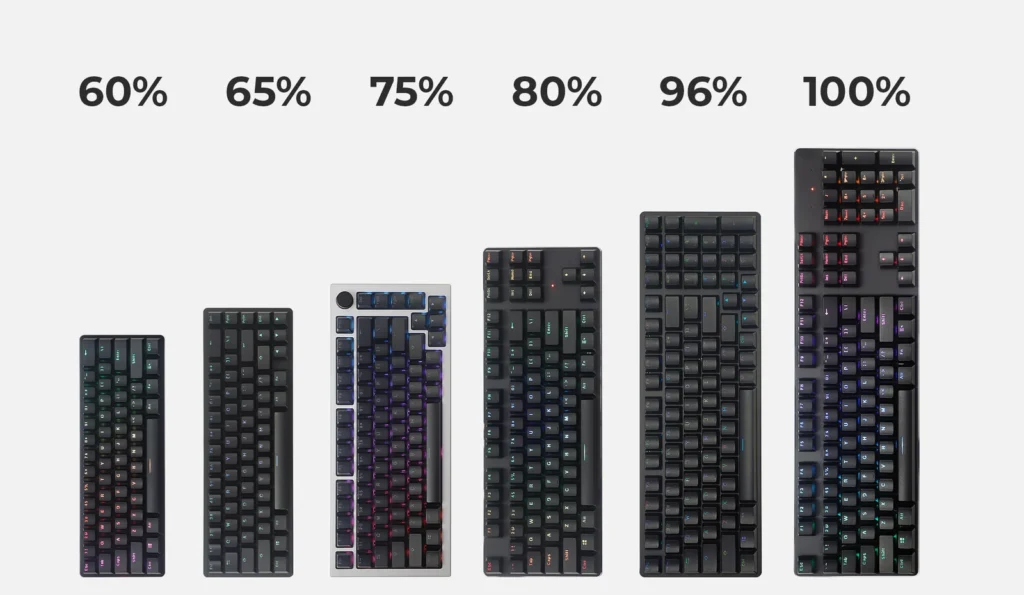
Gaming keyboards come in all shapes and sizes — and picking the right form factor can completely change your setup and comfort level.
- Full-size keyboards have it all: a number pad, function keys, and a full set of arrows. Great if you also use your PC for work or need quick access to macros.
- Tenkeyless (TKL) boards ditch the number pad, saving space without sacrificing core keys. They’re a sweet middle ground — compact yet fully functional.
- 60% keyboards go ultra-minimal, removing the number pad, arrow keys, and function row. They’re perfect if you want maximum mouse space and a clean aesthetic, but there’s a learning curve.
Your choice depends on your desk space, gaming style, and whether you prefer minimalism or full utility. Pro tip: Smaller form factors also mean better portability for LAN setups or travel.
7. RGB Lighting & Customization
Okay, let’s be honest — RGB lighting is one of the first things that catch your eye when shopping for a gaming keyboard. But it’s not just about looking cool. RGB can actually be functional when used right.
The best gaming keyboards offer per-key RGB customization, letting you set up unique lighting profiles for different games or highlight specific keys like WASD, abilities, or macros. Some even sync with in-game actions or other gear — think reactive lighting during a low-health warning or when your ult is ready.
Look for keyboards that offer customizable lighting zones, preset effects, and support for ecosystems like Razer Chroma, Corsair iCUE, or Logitech Lightsync. Bonus points if the keyboard stores profiles onboard, so you don’t need software running all the time.
A good RGB setup doesn’t just show off your style — it gives your gameplay an extra layer of feedback and immersion.
8. Programmable Macros & Software
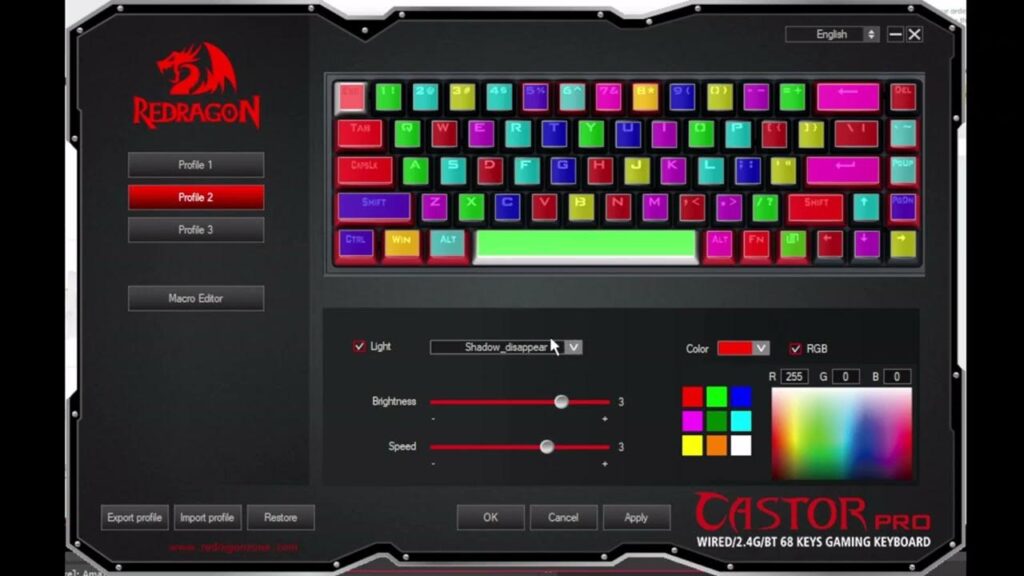
If you’re playing MMOs, MOBAs, or even doing some creative work on the side, programmable macros can seriously level up your efficiency. Macros let you assign complex key sequences or repetitive tasks to a single key — meaning fewer actions, faster response, and more control.
Top gaming keyboards come with dedicated macro keys or at least allow remapping through their companion software. This is especially handy for executing ability combos, switching loadouts, or even automating in-game pings.
But macros are only as good as the software behind them. Brands like Logitech G Hub, SteelSeries Engine, and Razer Synapse let you set up macros, lighting profiles, key remaps, and more — often with cloud or onboard profile storage so your settings go wherever your keyboard goes.
If you’re a power user or someone who loves to tweak their setup, macro support is a feature you’ll thank yourself for later.
9. Connectivity Options
Wired or wireless — that’s the big question when it comes to gaming keyboard connectivity. And the answer? It depends on your setup and priorities.
Wired keyboards are the gold standard for competitive gaming. They offer zero latency, no battery hassles, and a consistent connection you can count on mid-match. Plus, you never have to worry about charging.
Wireless keyboards have come a long way though. With tech like 2.4GHz wireless and Bluetooth, many modern boards deliver near-instant response times and clean, cable-free setups. Some even let you switch between wired and wireless on the fly — perfect for gamers who want flexibility.
Also consider things like USB passthrough (handy for plugging in a mouse or headset), detachable cables, or multi-device pairing if you switch between a PC, laptop, or console.
Bottom line: choose the connection style that suits your playstyle and desk setup best.
10. Price vs. Value
With gaming keyboards ranging from budget picks to ultra-premium beasts, it’s easy to get caught up in flashy features and sky-high price tags. But here’s the truth: more expensive doesn’t always mean better for you.
Focus on value, not just price. A ₹3,000 keyboard with solid switches and anti-ghosting might be a better buy than a ₹10,000 one that just looks cool but skips the essentials. Think about your use case — do you need per-key RGB, or would you rather invest in better switches and build quality?
Look for brands that strike the right balance between performance, durability, and features without breaking the bank. And always check reviews (like the ones we write on Gamakos 👀) to make sure you’re not paying for hype.
The best gaming keyboard is the one that fits your budget and your needs — not just the one with the most RGB.
Conclusion
A great gaming keyboard isn’t just about looking good on your desk — it’s about enhancing every click, every movement, and every clutch moment. Whether you’re grinding ranks, exploring open worlds, or just vibing with your setup, the right keyboard becomes an extension of you.
From the feel of the switches to the speed of response, the lighting effects to the durability under pressure — every feature we covered plays a role in shaping your experience. And while there’s no one-size-fits-all pick, knowing what really matters helps you cut through the noise and make the right call.
So next time you’re eyeing a new board, skip the hype and ask: does this keyboard actually improve the way I game?
Choose smart. Type fast. Win harder.